 Rocket Safari
How to Plan an Instagram Content Calendar (5 Steps)
The single biggest thing holding most accounts back is not bad content, it is patchy posting. Show up some weeks and vanish the next, and the algorithm has no reason to keep putting you in front of people. Show up steadily, and it does.
A content calendar is just how you make “steadily” happen without living inside the app. It strengthens the connection with your audience, and it gives the algorithm the consistent signal it rewards. If you want the case for why this matters more than almost anything else, see why consistency drives Instagram growth.
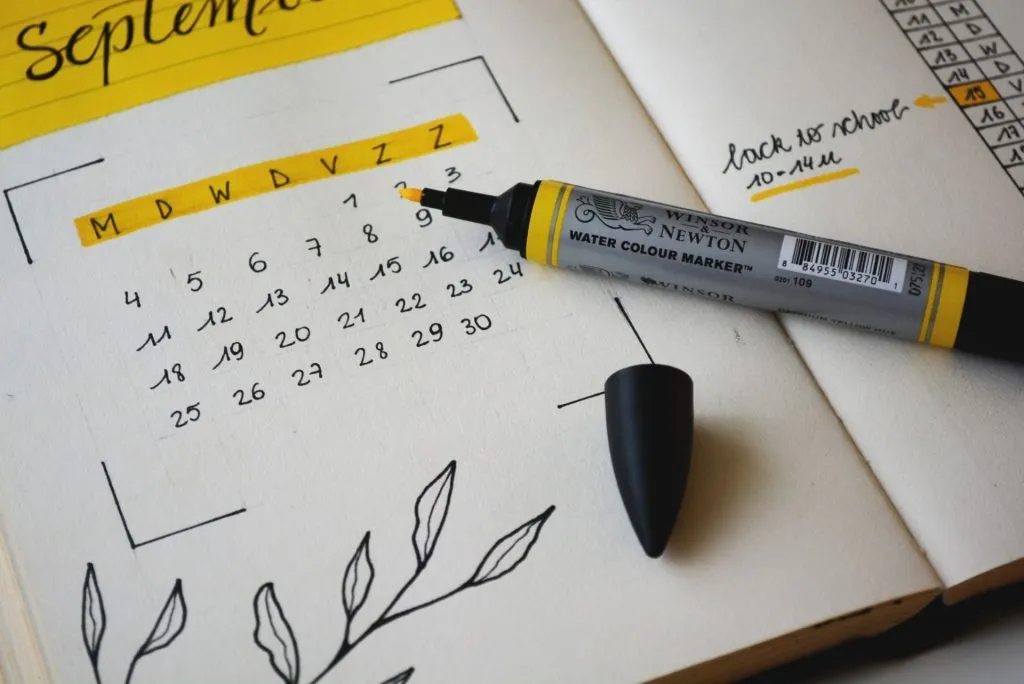
The good news is that a calendar is not complicated to build. Here are five steps to get one going.
Get well-versed with a variety of Instagram content
There are different kinds of Instagram posts you can share on the platform. Using a healthy mix of all varieties will help to diversify your content and keep things fresh for your audience.
- Standard photo and video posts. You can share a single photo or video. For example, a picture of you, your team, your location, your product, or a graphic post.
- Carousel posts. Up to ten photos or videos in one swipeable post. The format earns extra dwell time, because people stop scrolling to swipe through.
- Stories. These do not sit on your feed and they vanish after 24 hours, which makes them low-pressure. Save the good ones to Highlights and they stick around. Behind-the-scenes moments, the stuff your audience would not normally see, and quick day-to-day updates all work well here.
- Reels. Short-form video, and currently the strongest reach lever Instagram has. You can add music and effects, they surface in your feed and on a dedicated Reels tab, and they are built to be found by people who do not follow you yet. Short on ideas? Our 7 ideas for Instagram Reels will get you unstuck.
Work out your best days and times to post
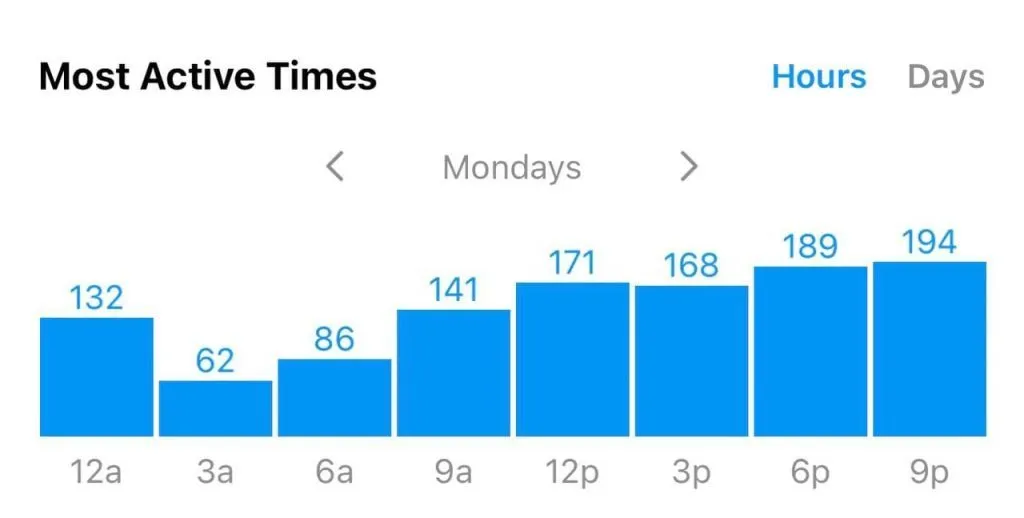
With the formats sorted, the next step is timing. Your own Insights will tell you when your audience is actually online, so post around those windows rather than guessing. If you are not sure yet, default to roughly one post a day and watch what the data says. Lining up a post or Reel for each day of the week gives you a steady rhythm to refine from.
Schedule your content with the right tools ahead of time
Once you know your best days and times, get ahead and queue the posts up. Meta retired the old Facebook Creator Studio, so the free option now is the Planner inside Meta Business Suite, which lets you schedule feed posts, Reels and Stories straight from desktop. If you want more (a content calendar view, analytics, a grid preview), third-party schedulers like Later, Buffer or Planoly do the same job and then some.
Whichever tool you pick, the real time-saver is creating in bulk rather than one post at a time. Filming and editing a week of content in one sitting, then loading it into the scheduler, is far less painful than doing it daily. Here is how to batch your Instagram content and save hours, which is really the production half of calendar planning.
Add a few relevant hashtags
Hashtags still help the right people find a post, but the old advice has dated badly. You can technically add up to 30, yet Instagram itself now recommends three to five genuinely relevant tags rather than a wall of them. And the first-comment trick no longer matters: whether you put hashtags in the caption or the first comment makes no meaningful difference to reach, so do whichever keeps your caption cleaner.
The part that does matter is picking tags that actually fit the content and your audience size. Here is how to pick your Instagram hashtags by size and relevance, so you label the post properly instead of guessing.
Plan the next month with your analytics
Best practices get you started, but your own numbers are what actually shape the calendar. Check your posts in Instagram Insights, which you only get on a free professional (business or creator) account, and let last month tell you what to do next month.
When you look, ask three questions:
- Which posts performed best, and what did they have in common?
- Which ones flopped, and why?
- Which days and times got the most reach and engagement?
Feed those answers straight back into next month’s plan: more of what worked, less of what didn’t, posting when your audience is actually online. If you want a fuller breakdown of which metrics are worth watching, see our guide to measuring and tracking your Instagram analytics.
Do that on a loop, a calendar built from real data and reviewed each month, and your content stops being a guess. Plan ahead, batch the work, and let the numbers steer you.